Open and edit DWG and DXF drawings on your phone with object snaps, layers, trim, fillet, dimensions, hatches and blocks — then plot a to-scale PDF. Works offline.
Free to useWorks offlineOpens DWG & DXFAndroid 7+ & any browser
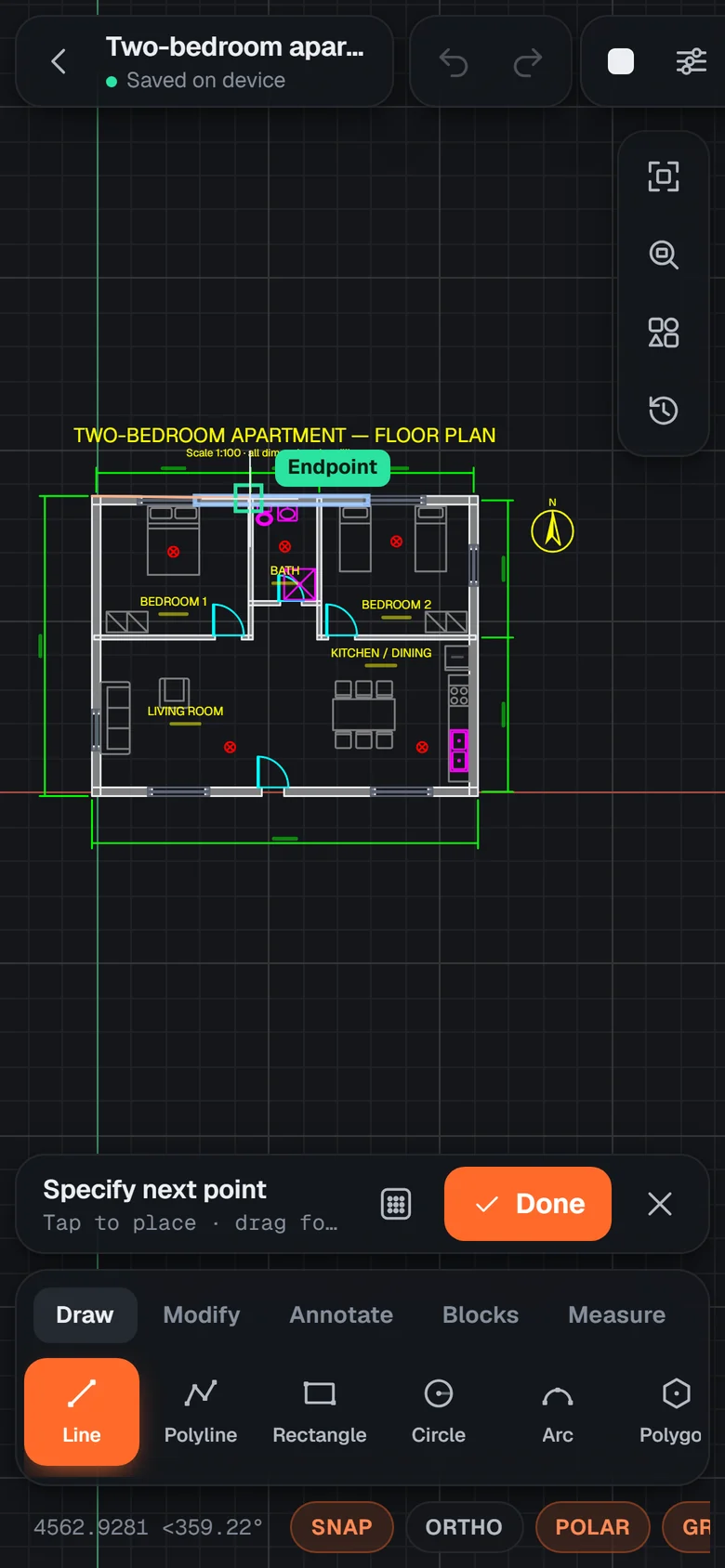
Snap · Endpoint
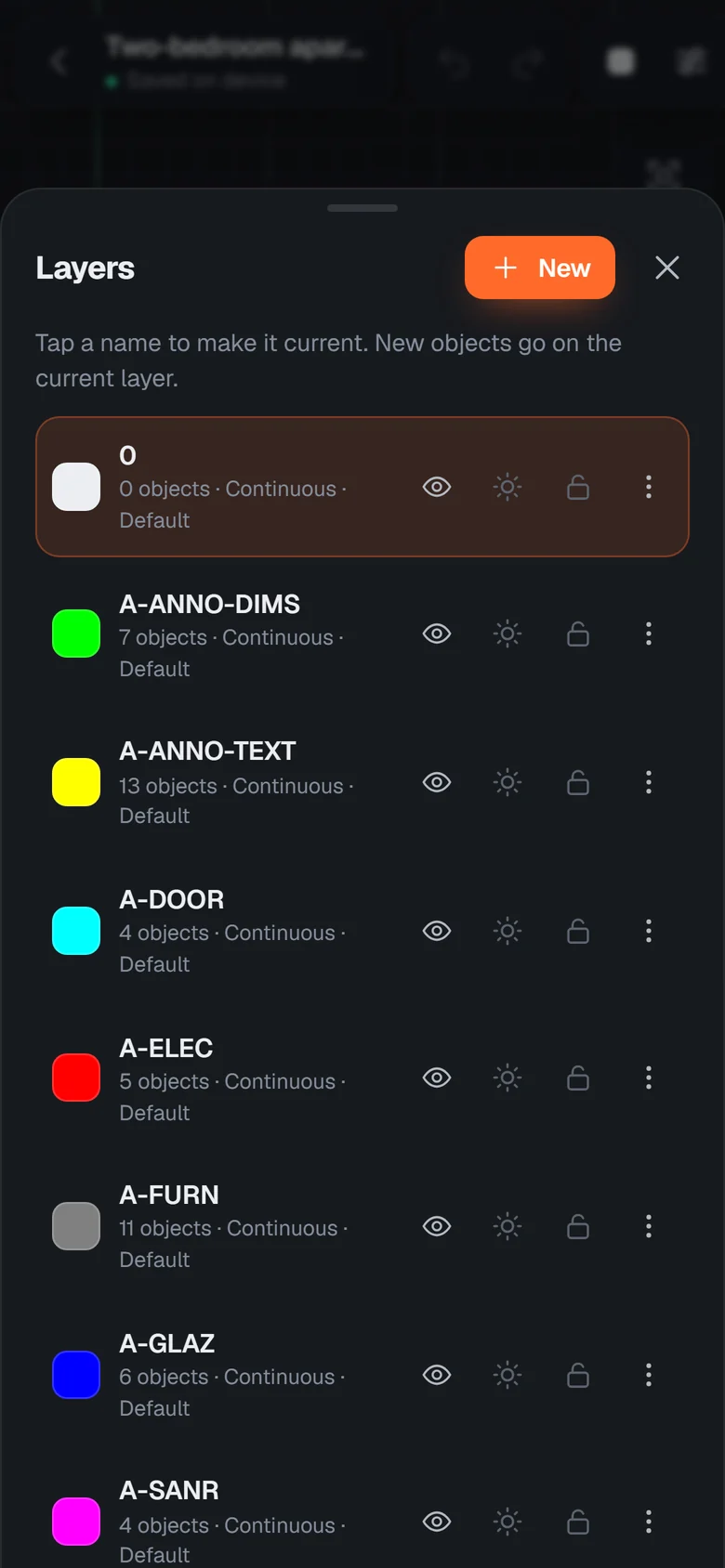
11 layers
@4000<90
54drawing & editing tools
38ready-made library blocks
DWG + DXFopen & save, AutoCAD 2000 → 2018
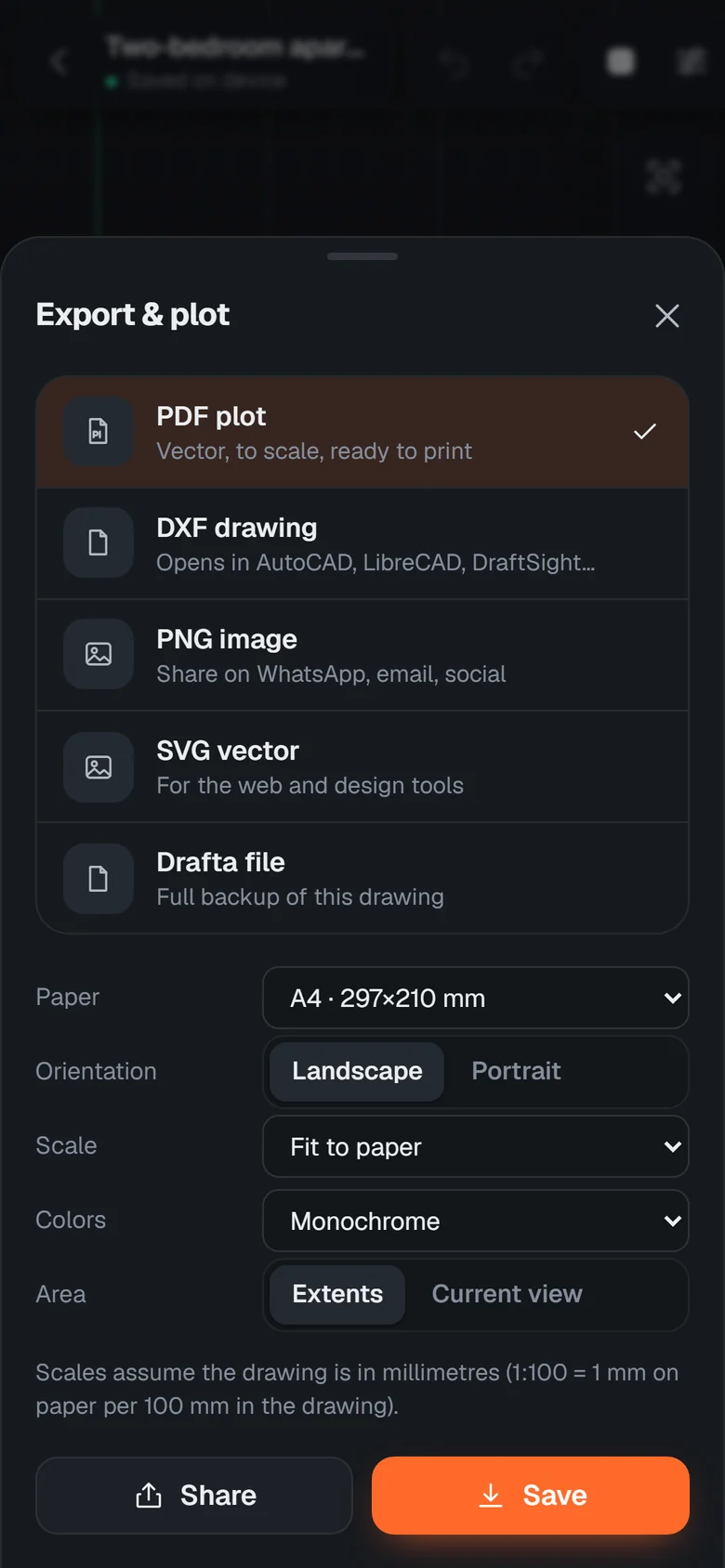
PDFto scale, A4 → A0
Why Drafta
A desktop-class CAD toolset, rebuilt for fingers.
Not a sketchpad: exact coordinates, real DXF entities and the commands drafters already know.
Real CAD, not a sketch app
Lines, polylines, arcs, splines, hatches, blocks and five kinds of dimensions — the AutoCAD-style toolset, with typed coordinates and a command line.
Precision on a touchscreen
A floating crosshair with a magnifier, object snaps, ortho and polar tracking, and a keypad for exact lengths and angles.
Opens DWG and DXF
AutoCAD DWG from 2000 to 2018 and DXF from R12 up, ASCII or binary — layers, blocks, dimensions, hatches and true colours come through intact.
Edit like a pro
Trim, extend, offset, fillet, chamfer, stretch, mirror, arrays, join, break and grips on every object.
Plot to scale
Vector PDFs on A4–A0 and ANSI sheets at 1:50, 1:100 or fit-to-paper, plus DXF, PNG and SVG export.
Works offline
Everything runs on your phone. No signal on site? Keep drawing — it saves automatically.
Symbol library
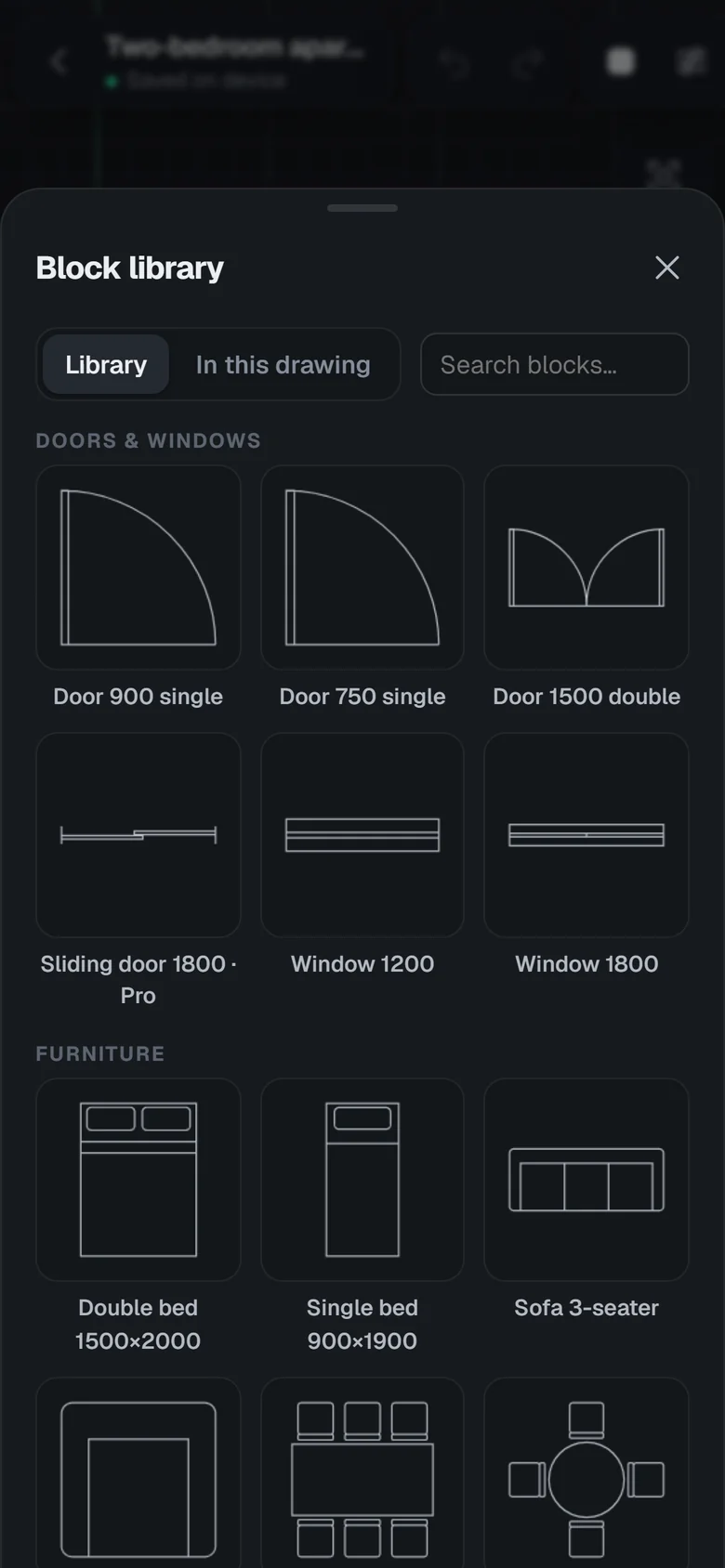
Doors, windows, furniture, sanitary, electrical and mechanical blocks drawn at real size.
Cloud when you want it
Sign in to back up drawings and pick them up on another phone, a tablet or the web.
Precision on glass
Your finger never hides the point you are placing.
1
Floating crosshair + magnifier
Drag and the cursor rides above your fingertip with a zoomed loupe. Lift to place.
2
Snaps that find the geometry
Endpoint, midpoint, centre, intersection, perpendicular, tangent and more — with ortho and polar tracking.
3
Type exact values
A CAD keypad for length & angle, plus @dx,dy and @len<angle on the command line.
Length4000
Angle °90
789⌫456±123↹.0×Enter
Toolset
Every tool you reach for, one tap away.
Organised in tabs — Draw, Modify, Annotate, Blocks and Measure — and every one has its keyboard alias for the command line.
AnnotateTextMultiline textLinear dimensionAligned dimensionAngular dimensionRadius dimensionDiameter dimensionLeaderHatchBlocksInsert blockCreate blockDrawLinePolylineRectangleCircleArcPolygonEllipseSplinePointConstruction lineRayDonutMeasureDistanceAreaPoint coordinatesListDivideMeasureModifyMoveCopyRotateScaleMirrorOffsetTrimExtendFilletChamferStretchLengthenBreakBreak at pointJoinExplodeEraseRectangular arrayPolar arrayMatch propertiesBring to frontSend to backViewZoom
Block library: Doors & windows · Furniture · Bath & kitchen · Electrical · Site & annotation · Mechanical.
Screens
See it in action.
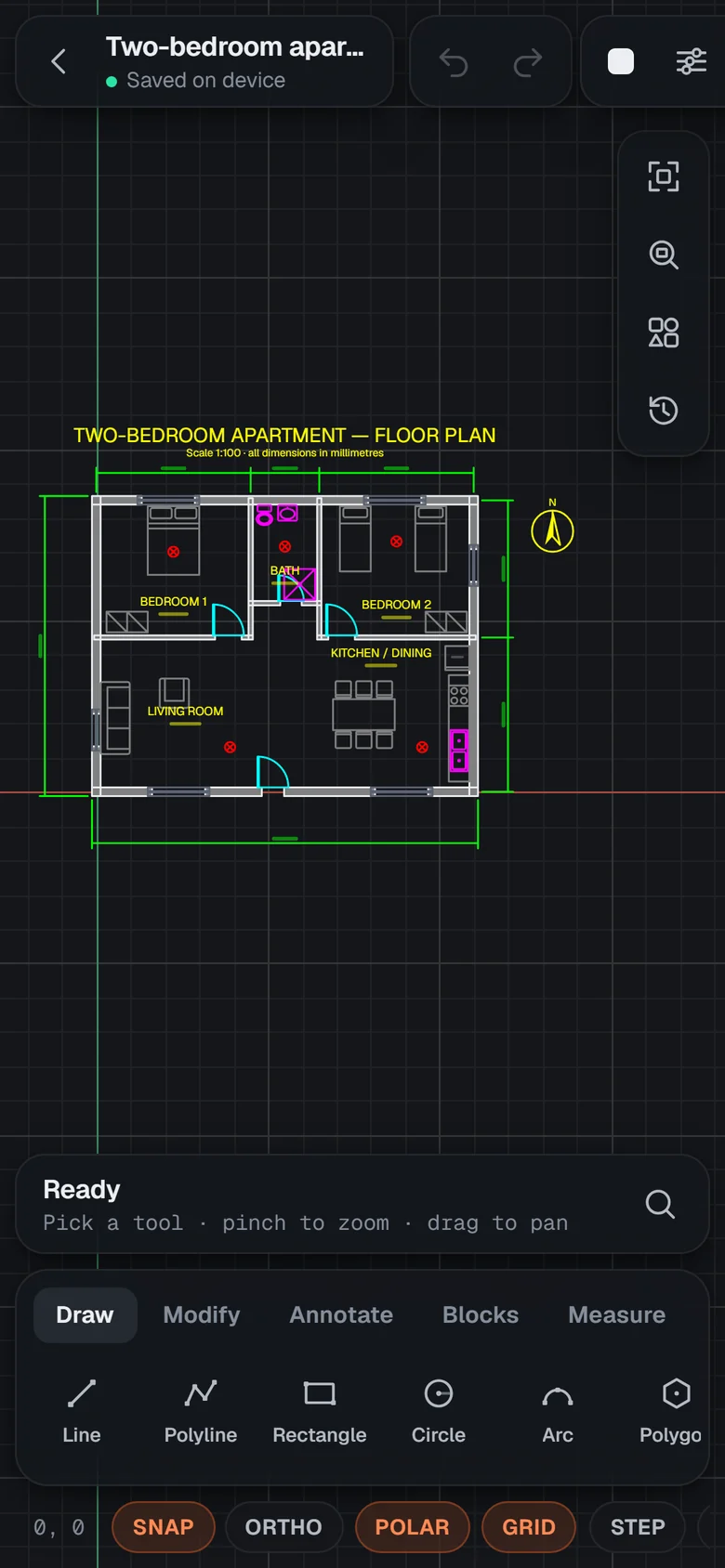
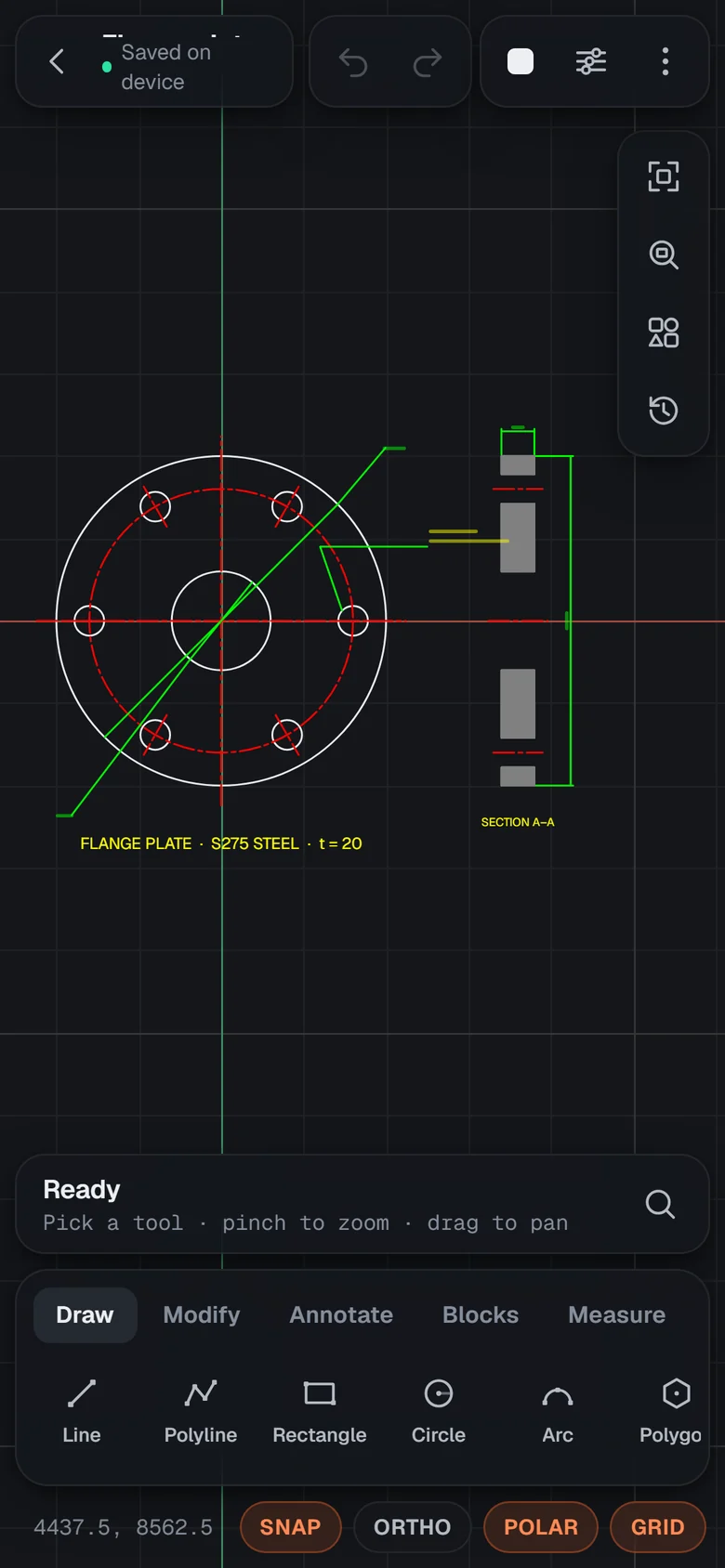
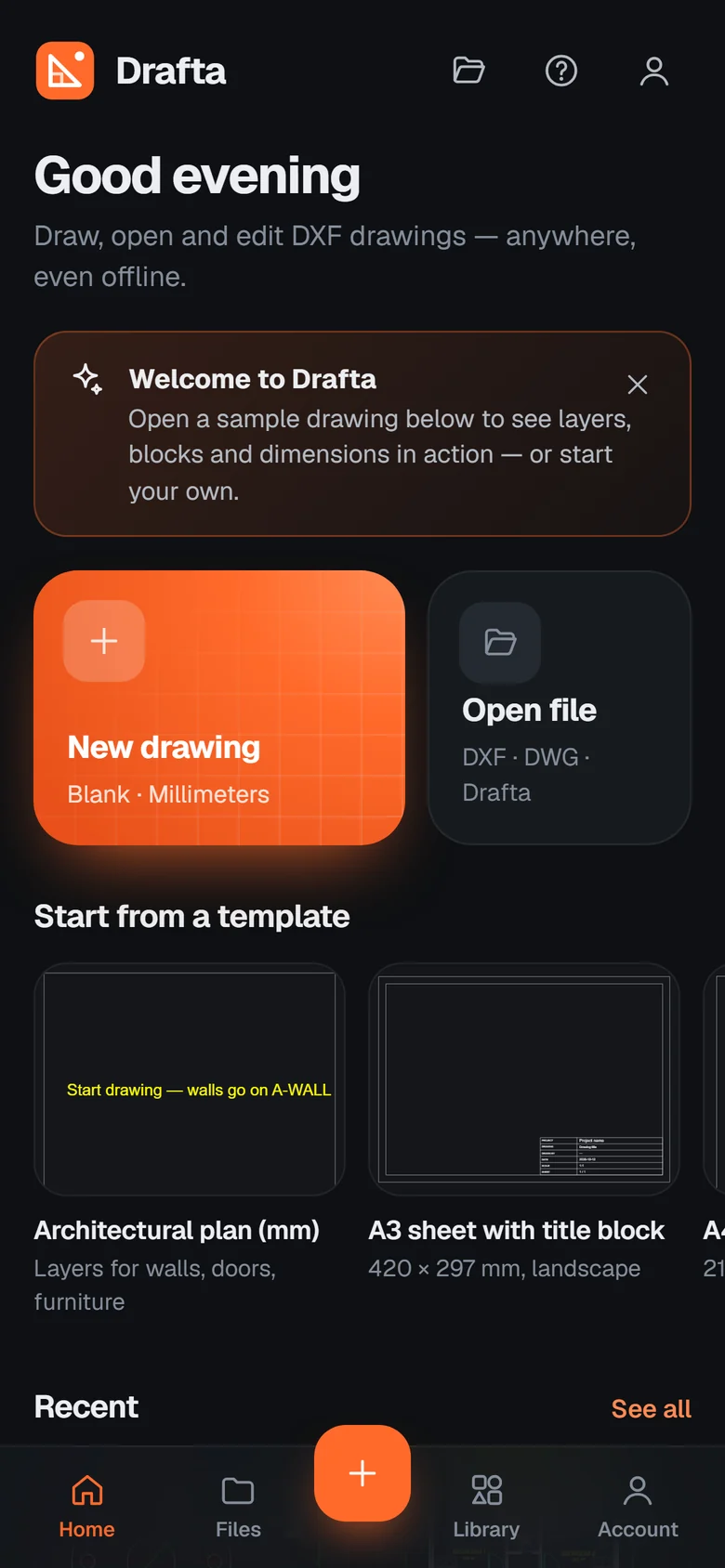
Floor plans on your phoneWalls, doors, furniture blocks, dimensions and hatches from a real DXF.Precise drawingSnaps, polar tracking and typed lengths while a tool runs.Block libraryDoors, windows, furniture, sanitary and electrical symbols.LayersColours, linetypes, on/off, freeze and lock.Plot & exportTo-scale PDF on any paper, plus DXF, PNG and SVG.Mechanical drawingsSections, centre lines, PCD notes and diameters.Start anywhereTemplates, samples and your recent drawings.
Pricing
Free for everyday drawing. Pro when you need more.
Yes. Every drawing and editing tool, DXF open/save and PDF export are free. Pro adds more cloud storage, the Pro block library and Pro templates.
Can it open AutoCAD DWG files?
Yes. Drafta opens DWG files saved by AutoCAD 2000 to 2018 (and R14) and DXF from every version. It can also save DWG (beta) and DXF. The DWG engine downloads once, the first time you open a DWG.
Does it work without internet?
Yes. Drawings are created, edited and saved on your device. You only need a connection for cloud sync, the first library download and sign-in.
Can I print to scale?
Yes — export a vector PDF on A4 to A0 or ANSI paper at a fixed scale such as 1:100, in monochrome, greyscale or colour.
Which phones are supported?
Android 7.0 or newer. Drafta also runs in any modern browser on Windows, macOS, Linux and iPad.
How do I pay for Pro?
Choose a plan in Account → Upgrade, send the amount by bKash or Nagad and enter the transaction ID. Pro is switched on after we confirm the payment.
Your next drawing can start on the bus.
Install Drafta free. Drawings stay on your device; Pro adds cloud sync and the full symbol library.